Questions about how to redesign a room from a photo
Roomwisp is an iPhone app that reimagines any room, patio or space with AI from a single photo. Here are straight answers about how it works, how accurate it is and what happens to your photos.
How does Roomwisp work?
Roomwisp turns one iPhone photo of a space into photorealistic redesigns in the style you choose.
How do I redesign a room from a photo with Roomwisp?
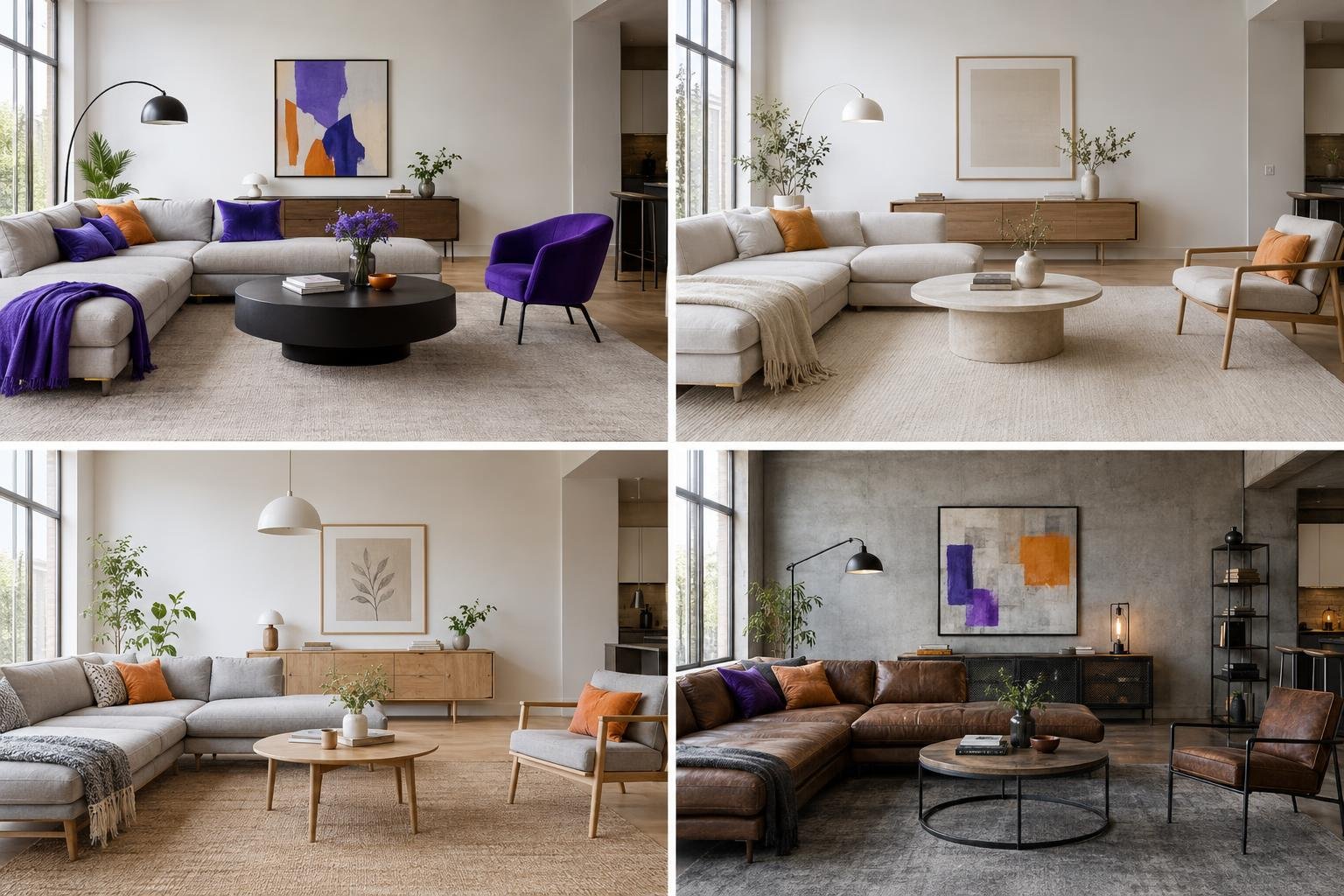
There are three steps. Photograph a room or outdoor area (or pick a photo from your gallery), choose a design style, and Roomwisp shows your space redesigned with photorealistic AI visualizations.
Which design styles can I choose from?
Roomwisp offers curated design styles including modern, minimalist, Scandinavian, industrial and more. You can try several styles on the same photo to compare looks.
Does Roomwisp work for outdoor spaces like a patio or backyard?
Yes. Roomwisp works from a single phone photo of any space, indoors or outdoors, so you can explore AI backyard and patio design ideas as well as bedrooms, living rooms and other rooms.
Can I use a photo I already took?
Yes. You can take a new photo in the app or pick an existing photo from your gallery.
How long does a redesign take?
Generation time varies with the requested design and service availability. The app shows progress while your redesign is being created.
Can I save and share my designs?
Yes. You can save favorites, explore variations of a design and share designs with others.
Is Roomwisp available on Android?
Roomwisp is being prepared for iPhone. It is not yet publicly available on the App Store.
How accurate are the AI results?
Roomwisp creates photorealistic visualizations meant for inspiration, not for architectural planning.
Are Roomwisp designs accurate enough to build from?
No. Roomwisp results are photorealistic visualizations for inspiration, not architectural planning. Use them to explore ideas and visualize a room before decorating, then work with the right professionals for measurements and construction.
What are Roomwisp results good for?
They help homeowners, renters, people moving into a new home and design enthusiasts see how a space could look in different styles before spending time or money on changes.
Good to know: treat every Roomwisp design as a mood board you can walk into, not a blueprint.
What happens to my photos?
Original photos stay out of public galleries. New accounts have public design visibility turned off, and you can manage it in Settings.
How does Roomwisp use the photos I upload?
We store and process your photos to provide your designs, including AI analysis, content moderation and image generation. Cloudflare and fal provide these processing services. See our Privacy Policy for details.
Can I keep my designs out of the featured gallery?
Yes. Use the privacy setting in Settings to hide your generated designs from featured galleries and style collections. This also disables public share links and hides those designs from other users' saved collections. New accounts have this privacy setting enabled.
How much does Roomwisp cost?
Roomwisp is not yet publicly available on the App Store. Contact us with questions about launch availability and pricing.
Where can I see Roomwisp pricing?
Contact mjoldic@purplecones.com with questions about Roomwisp pricing and availability.
Ask us about Roomwisp
Roomwisp is coming soon on iPhone. If your question is not answered here, send an email and we will get back to you.
mjoldic@purplecones.com